
Kiwix and Project N.O.M.A.D. both serve the whole English Wikipedia with no internet connection, and both are free. Which one belongs on your drive comes down to your hardware and what you want the library to do when you ask it questions. Here’s the comparison, axis by axis, with a decision rule at the end.
The Library Is the Same. The Building Isn’t.
Project N.O.M.A.D.’s offline library is Kiwix, and that changes the question.
The NOMAD documentation lists its Information Library as “offline Wikipedia, medical references, ebooks, and more via Kiwix.” NOMAD doesn’t compete with Kiwix on content. It wraps Kiwix in a larger system: a local AI assistant, courses, maps, notes, and a single dashboard that manages all of it, with opt-in automatic updates across the whole stack.
Both sides pull from the same catalog of ZIM files, the compressed archive format Kiwix has served since 2006 to more than 10 million users in over 100 languages. The real question is whether you want the library alone or the library plus a server built around it.
If you’ve been following this site’s offline-knowledge series, you’ve seen the fuller build: a Mac mini M4 running N.O.M.A.D., with measured speed and power numbers. That setup earns its footprint for one specific reader. This article is for everyone still deciding whether they’re that reader.
Size: The 166 MB Floor vs. the 25 GB Platform

Kiwix standalone has the lowest floor of any offline library worth the name. The current English Wikipedia builds on the Kiwix mirror (checked October 2026; sizes shift between builds, so note the build date): the full “maxi” build with text and images is 119 GB, the “nopic” build is 49 GB, and the stripped-down “mini” build is 13 GB. If all you want is medical reference, the medicine mini build is 166 MB, small enough to live on a phone’s SD card.
For scale, the complete Project Gutenberg collection in ZIM form is 206 GB. The whole Kiwix catalog holds 3,656 library entries across Wikipedia, Wiktionary, iFixit repair guides, Stack Exchange, TED talks, IFRC medical guidance, and more.
Project N.O.M.A.D. concedes the floor before you add a single article. The platform itself needs about 5 GB of disk and under 1 GB of RAM. The whole non-AI stack runs in less than a gigabyte of RAM. Add the AI assistant and the install grows to roughly 25 GB, because Ollama plus a general-purpose model are both large. Full-capability deployments assume 250 GB free, preferably on SSD.
The content ceiling is identical, since both serve the same ZIM catalog. The floor is not: 166 MB versus 5 GB, or 25 GB if you want the AI. If your hardware budget is “a drawer with a phone charger in it,” Kiwix is the only door that opens.
Freshness: A Six-Month-Old Wikipedia, Either Way
Neither side serves live Wikipedia. In 2026 the snapshot cadence on the mirror looks like this: full maxi builds roughly twice a year (February and August), nopic and mini builds roughly quarterly, and the medicine builds about every six months (April and October). Sizes move between builds: the medicine maxi file shrank from 2.1 GB in April to 1.7 GB in October, so any file size you quote should carry its build date.
The tie ends there, and the difference is process discipline rather than content. Standalone Kiwix refreshes when you notice and re-download. The reader app is actively maintained (the desktop release line sits at 2.5.1 (checked November 2026)), but nothing nudges your content. NOMAD offers opt-in, scheduled, hands-off updates for the core software, the installed apps, and the offline content, with pre-flight checks before anything downloads; major version jumps still require a manual update.
There is a flip side worth pricing in. NOMAD’s freshness assumes the box is powered and online often enough to fetch updates. A Kiwix drive in a drawer ages at the same rate, but it works the same on the day you pull it out. For a stash-it-and-forget-it plan, the self-updating stack buys you nothing and asks for power, a network cable, and shelf space.
Search: Find the Article, or Ask the Library
Kiwix’s search is excellent at what it does. The kiwix-serve server offers full-text search across whatever ZIMs you load, plus search suggestions and a random-article button, and the search index ships inside the ZIM itself. Full-text search works across the 119 GB maxi build because the index travels with the file. It’s the same reason kiwix-serve sits underneath Internet in a Box, Kolibri, RACHEL, and other offline-education platforms: it is a dependable, boring, correct keyword engine.
Keyword search finds you the article. It does not read the article back, summarize across documents, or answer a natural-language question.
That is the gap NOMAD’s AI assistant fills. On top of the same Kiwix search, NOMAD runs a local LLM through Ollama (or an OpenAI-compatible server like LM Studio) with semantic search over a Qdrant vector database. You can upload your own PDFs, manuals, and family documents and ask questions across them, with Wikipedia-backed knowledge in the same conversation. On our M4 test box, offline Wikipedia search answered in 311 milliseconds and a 7B quantized model produced 113 to 127 tokens per second.
Concrete version of the difference: keyword search answers “find the Wikipedia article on oral rehydration.” The NOMAD assistant answers “here’s what the medical ZIM says about fluid replacement, cross-referenced against the clinic manual you uploaded last week.” Whether that capability is worth 25 GB of disk and a heavier machine is the central decision this article keeps circling.
Hardware: Phone Drawer to Shelf Server
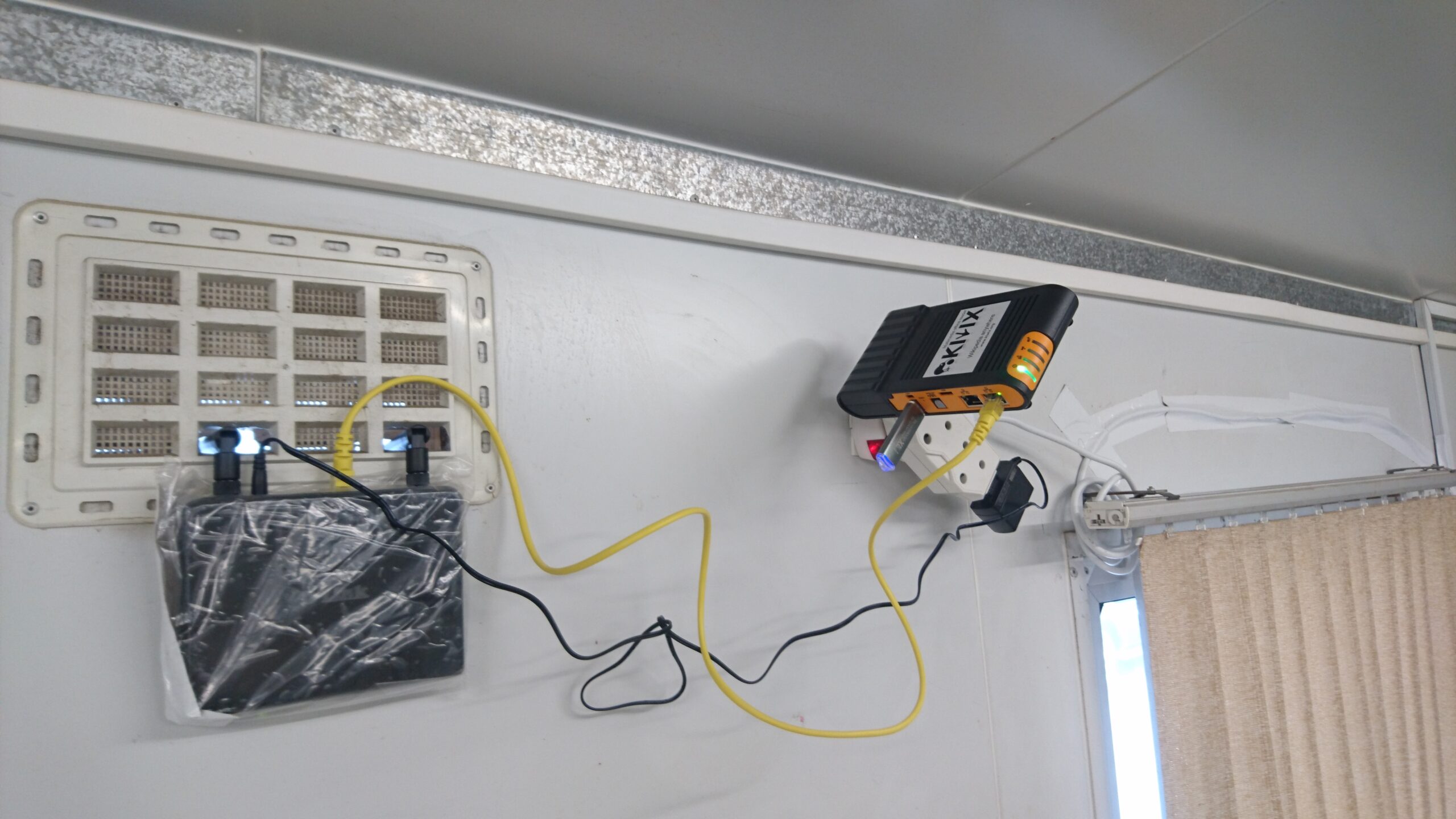
Kiwix runs on the hardware you already own. The reader app covers Windows, macOS, Linux, Android, and iOS. The Android build alone has more than a million downloads, and a phone with an SD card is a legitimate, complete Kiwix deployment. The kiwix-serve server ships as Docker images and static binaries for just about any platform, so an old laptop or a Raspberry Pi can serve the library to every browser in the house.
Kiwix’s one first-party hardware option is the Kiwix Hotspot: a Raspberry Pi 5 with 4 GB of RAM and an NVMe drive (about 40 times faster than a microSD card), serving up to 24 devices at once on 4 to 9 watts, low enough to run from a power bank or a small solar panel. A rechargeable battery keeps the clock correct through power outages. It costs CHF 260, roughly $315 at late-October 2026 exchange rates, and it is the closest either project comes to “zero setup.”
Project N.O.M.A.D. wants an always-on machine. The supported path is Debian-based Linux (Ubuntu 26.04 LTS recommended, with 24.04 LTS and Debian 12 also supported) at a minimum of a 2 GHz dual-core processor, 4 GB of RAM, and 5 GB of disk, 10 GB to install comfortably. That 4 GB floor is the official minimum, not the idle footprint: the stack idles under 1 GB of RAM. Windows has a community-supported WSL2 install guide. macOS runs through a community Docker port, the route our Mac mini walkthrough took; the M4 idled at 5 to 7 watts with the full stack using about 3.5 GB of RAM. For the AI features to be worth having, the official guidance climbs to 32 GB of RAM and an RTX 3060-class GPU or better.
Two design facts from the documentation matter for anyone putting this on a network: NOMAD includes no built-in authentication, and it phones home to nobody: zero telemetry, internet needed only for installation and optional downloads.
Cost: Free Software, Real Hardware

Both projects are free software — Kiwix under GPL-3.0, NOMAD under Apache-2.0 — with no subscriptions, accounts, or license keys. The money question is entirely hardware, and the two projects pull you in different directions.
Kiwix can cost $0: install the reader on a device you own and download ZIMs that are also free. The only time Kiwix’s nonprofit asks for money is the optional Hotspot at CHF 260.
NOMAD’s official hardware guide starts at $150 to $300 for a refurbished corporate mini PC (Dell OptiPlex Micro, Lenovo ThinkCentre Tiny, HP EliteDesk Mini class), which runs the full library, maps, and education apps, with AI limited to small 1–3B models at 5 to 20 tokens per second. The “sweet spot” tier runs $500 to $800 for a Ryzen 7 or 9 mini PC with 32 GB of RAM, where an 8B model answers at 12 to 17 tokens per second. Past $1,000, a dedicated GPU changes the math again: a used RTX 3060 lands around 65 tokens per second on an 8B model.
Notice the shape of that ladder. The software is free at every tier, but the free AI features are what move you from a $150 refurb to a $500-plus build. Power draw stays modest throughout (the Hotspot’s 4 to 9 watts and the M4’s 5 to 7 watt idle are the same order of magnitude), so running cost is small either way. The entry price difference is the whole story: one path starts at the device in your pocket, the other starts at a box on a shelf.
Which One Should You Choose?

Three readers, three answers.
Start with Kiwix if your “server” is a drawer. If the hardware you have is a phone, a tablet, or an old laptop, Kiwix is not the compromise option; it is the correct one. You can hold a medical reference library in 166 MB, the full English Wikipedia in 13 to 119 GB depending on fidelity, and nothing asks for power, ports, or updates. Who this is not for: anyone who wants the library to answer questions, summarize documents, or refresh itself on a schedule. Kiwix stores and finds. It does not think.
Choose NOMAD if you have (or want) an always-on box and a reason to ask it things. The integrated stack earns its 25 GB when you will actually use the AI assistant over your own documents, the courseware, the maps, and the one-dashboard management, and when scheduled updates sound like relief rather than risk. Who this is not for: anyone expecting it to run on a phone, anyone without a spot for an always-on machine, or anyone whose plan is to stash a drive and forget it. NOMAD is a server. Servers want a shelf, power, and occasional internet.
Buy the Hotspot if you’re serving a room, not a person. A classroom, a clinic waiting room, a community center: up to 24 devices on 4 to 9 watts, solar-capable, zero setup, CHF 260. That is a different product category than either of the above, and Kiwix’s nonprofit priced it for institutions and prepper kits alike.
For most readers landing here from a search, the default is Kiwix: start tonight with the reader and one ZIM, because a small working library beats a large planned one. NOMAD is the deliberate upgrade for when “store and search” stops being enough and “ask and synthesize” is the job.
Wrap-Up: Why This Matters
An offline library is one of the few preps that pays off in ordinary weeks, not just emergencies. Storm season, a dead rural connection, a censorship event, a camping trip, a Tuesday: the use cases blur together, and a local copy of human knowledge doesn’t care which one brought you there. What matters is that the copy exists, fits your hardware, and does the job you bought the drive for.
The same logic extends past the library itself. A knowledge server pairs naturally with local comms that don’t need the internet — the mesh moves the message and the ZIMs carry the answers. Start with whichever side of that pair your hardware supports this weekend.
Sources
1. Kiwix Wikipedia ZIM mirror: English build sizes and dates
2. Kiwix Project Gutenberg ZIM mirror
3. Kiwix library catalog (OPDS): 3,656 entries
4. Kiwix: about the nonprofit, user and language counts
5. Kiwix Reader: supported platforms
6. Kiwix Server (kiwix-serve): search features and downstream platforms
7. Kiwix Hotspot: hardware specs and power draw
8. Kiwix shop: Hotspot pricing in CHF
9. kiwix-tools on GitHub: GPL-3.0, actively maintained
10. kiwix-desktop releases: current 2.5.1
11. Project NOMAD README: Kiwix integration, footprint, update mechanics
12. Project NOMAD repository and releases: v1.35.1, October 5, 2026
13. Project NOMAD hardware guide: three build tiers
14. Federal Reserve H.10: USD/CHF exchange rate history
Related reading
The $30 Radio That Texts Your Neighbors Without Cell Service or Internet
A $30 LoRa board and a free app let your street text through a multi-day outage — no towers, no internet, no license. Real prices, …

Own Your Spotify: Self-Hosted Music Streaming with Kima
Spotify costs $12.99/mo and deleted 75M+ tracks in 2026. Kima adds Spotify-style discovery to music you own. Full stack, cost math, and who shouldn't switch.
Your Old Echo Dot Can Ditch Alexa: Turn It Into a Private Voice Assistant
Old Echo Dot in a drawer? A one-command jailbreak turns it into a private Home Assistant voice speaker — no Alexa, no cloud. Models, risks, …